xIf your website looks great but loads slowly or feels sluggish when visitors click around, you’re likely losing both rankings and customers. Core Web Vitals are the set of Google metrics that measure exactly that experience, and they’ve become one of the clearest, most actionable levers in modern technical SEO.
In this guide, we’ll break down what Core Web Vitals are, why Google cares about them, the current “good” thresholds, and a practical action plan to fix each metric.
What Are Core Web Vitals?
Core Web Vitals are three standardized metrics Google uses to measure real-world user experience on a webpage: how fast it loads, how stable it looks while loading, and how quickly it responds to user interaction. Unlike older SEO checks that rely on lab simulations, Core Web Vitals are measured using real visitor data collected through the Chrome User Experience Report (CrUX).
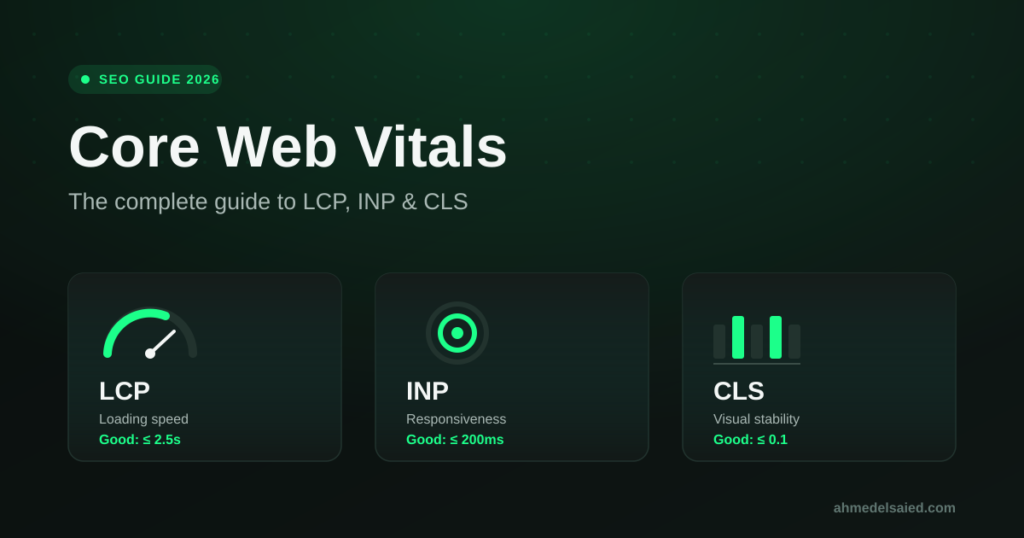
The three metrics are:
- Largest Contentful Paint (LCP) — measures loading performance
- Interaction to Next Paint (INP) — measures responsiveness
- Cumulative Layout Shift (CLS) — measures visual stability
Google evaluates a page as “good” only when at least 75% of real visitor sessions (the 75th percentile) meet the good threshold for each metric. This means your site needs to perform well consistently, not just in a one-off speed test.
Core Web Vitals Thresholds You Need to Hit
| Metric | Good | Needs Improvement | Poor |
|---|---|---|---|
| LCP (loading) | ≤ 2.5 seconds | 2.5s – 4.0s | > 4.0 seconds |
| INP (responsiveness) | ≤ 200 milliseconds | 200ms – 500ms | > 500 milliseconds |
| CLS (visual stability) | ≤ 0.1 | 0.1 – 0.25 | > 0.25 |
A quick note: INP officially replaced First Input Delay (FID) as the responsiveness metric in March 2024. While FID only measured the delay before the first interaction, INP measures the responsiveness of every interaction during a visitor’s session, which makes it a much stricter and more accurate metric. Industry data consistently shows INP is now the metric most websites fail, largely because fixing it requires real changes to JavaScript execution rather than simple image compression or caching tweaks.
Why Core Web Vitals Matter for SEO
Core Web Vitals are a confirmed part of Google’s page experience signals. They typically act as a tiebreaker: when two pages target the same keyword with similarly strong content and authority, the page delivering the better real-world experience tends to win the visibility battle.
But the ranking angle is only half the story. Core Web Vitals are also a direct proxy for conversion behavior:
- Slow-loading pages increase bounce rate before visitors even see your content
- Layout shifts cause mis-clicks, frustration, and lost trust, especially on mobile
- Sluggish interactions (laggy menus, slow form submissions, delayed button responses) quietly kill conversions on contact forms and checkout flows
In other words, fixing Core Web Vitals isn’t just a ranking exercise. It’s a revenue exercise.
How to Measure Your Core Web Vitals
You don’t need to guess where your site stands. Use these tools:
- Google Search Console → Core Web Vitals report: shows real field data grouped by URL, segmented by mobile and desktop
- PageSpeed Insights: combines real CrUX field data with a lab-based diagnosis and specific fix recommendations
- Chrome DevTools (Performance panel): useful for diagnosing exactly which scripts or elements are causing slow LCP or high INP
- web.dev/measure: a simple way to test individual URLs against current thresholds
If a URL doesn’t have enough traffic for Google to report field data, Search Console will fall back to origin-level or URL-group data, so even smaller pages still get evaluated indirectly.
How to Fix Each Core Web Vitals Metric
Fixing LCP (Loading Speed)
- Compress and serve images in modern formats (WebP/AVIF) and set explicit dimensions
- Preload your LCP element (hero image, banner, or headline font)
- Inline critical CSS and defer non-critical CSS
- Use a CDN and server-side caching to cut Time to First Byte
- Avoid render-blocking JavaScript above the fold
Fixing INP (Responsiveness)
- Break up long JavaScript tasks so the main thread isn’t blocked
- Defer or lazy-load non-essential scripts (chat widgets, tracking pixels, ad scripts)
- Reduce the amount of JavaScript that runs on click, tap, or keystroke events
- Audit third-party scripts, they’re one of the most common hidden causes of poor INP
Fixing CLS (Visual Stability)
- Always set explicit width and height attributes on images, videos, and embeds
- Reserve space for ads, banners, and dynamically injected content before it loads
- Use
font-display: swapand preload key fonts to avoid text reflow - Avoid inserting new content above existing content unless triggered by user interaction
Core Web Vitals Aren’t a One-Time Fix
A common mistake is treating Core Web Vitals as a checklist item to “complete” once and forget. In reality, every new plugin, tracking script, banner, or content update can quietly reintroduce a layout shift or slow down your LCP again. Performance needs to be monitored the same way rankings and traffic are monitored, continuously.
This is exactly the kind of work we handle for clients through our technical SEO and site performance services, where we audit, prioritize, and fix the specific issues dragging down your real-world Core Web Vitals scores, then validate the results against actual field data rather than just lab tests.
Frequently Asked Questions
Are Core Web Vitals a confirmed Google ranking factor?
Yes. Google has stated that Core Web Vitals are part of its page experience signals and can influence rankings, particularly as a tiebreaker between pages of similar content quality and relevance.
What is a good Core Web Vitals score?
A page is considered “good” when, at the 75th percentile of real visitor sessions, LCP is 2.5 seconds or less, INP is 200 milliseconds or less, and CLS is 0.1 or less.
Why did my Core Web Vitals scores suddenly drop?
The most common causes are a new third-party script (ads, chat widgets, tracking tags), an unoptimized image upload, a theme or plugin update, or a new banner/popup that wasn’t given reserved layout space.
Do Core Web Vitals matter for mobile and desktop separately?
Yes. Google reports and evaluates Core Web Vitals separately for mobile and desktop, since real-world performance often differs significantly between the two, especially for LCP and INP.
How often should Core Web Vitals be monitored?
Ideally on an ongoing basis, since CrUX field data refreshes on a rolling 28-day window. Monitoring after every major site change (new theme, plugin, or content push) is the safest practice.
Want a clear picture of where your site stands?
Get in touch with our team for a Core Web Vitals audit, and we’ll show you exactly what’s holding your LCP, INP, or CLS back, and what it would take to fix it.